

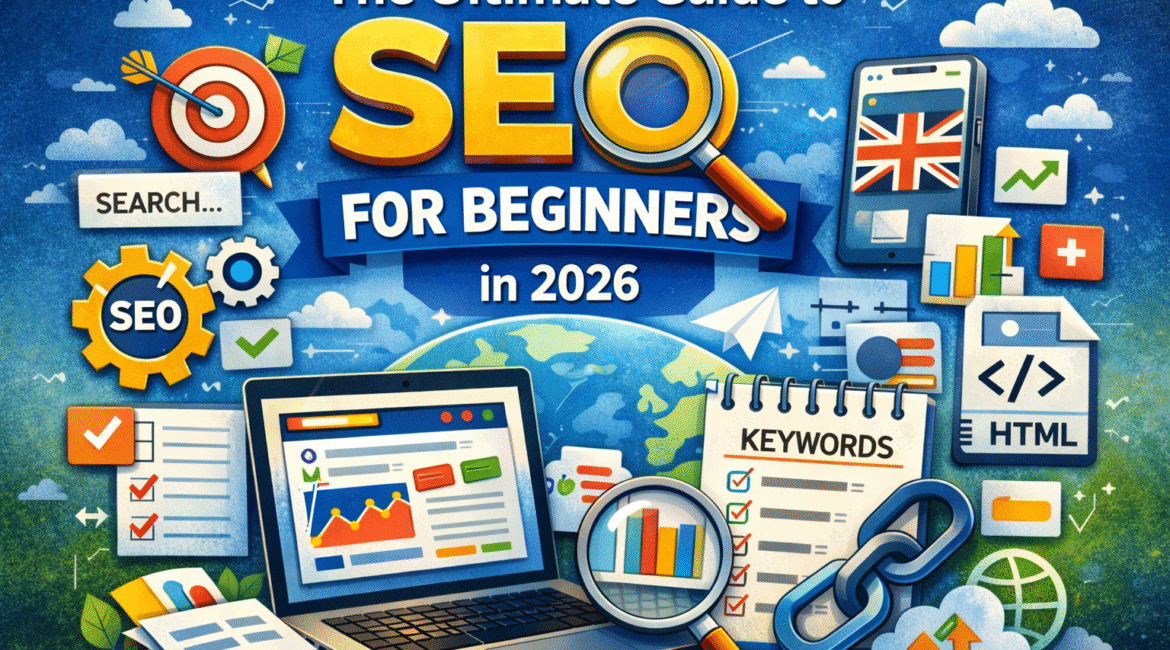
If you are new to SEO, it is easy to feel lost.
You hear words like keywords, backlinks, indexing, search intent, structured data, and crawlability. It can sound hard. The good news is this. SEO is not about tricks. It is about making your website clear, useful, and easy for search engines and real people to understand. Google’s own guidance still centres on helpful, reliable, people-first content, strong site structure, crawlable links, and pages that clearly explain what they offer. At Ranktic, we believe beginners do best when they focus on the basics first instead of chasing shortcuts.
This guide is written for beginners in the UK. It explains the SEO basics in plain English. You will learn what SEO is, how SEO works, what on-page SEO, technical SEO, and off-page SEO mean, and how to start improving your site in a smart way in 2026. Google also says the same core best practices apply to newer AI search features, so the basics are still the right place to start.
What is SEO?
SEO means search engine optimisation.
It is the work you do to help your website appear in search results when people look for something you offer. That could be a service, a product, an answer, a guide, or a local business.
In simple terms, SEO helps search engines:
- find your pages
- understand your pages
- decide when your pages are useful to show
Google explains search as a process that involves crawling, indexing, and ranking. Its systems discover pages, try to understand them, and then choose which pages to show for a search. Google also says it does not charge for crawling or ranking, and following best practices does not guarantee rankings, but it does help search engines access and understand your site better.
Why SEO Matters in 2026
SEO matters because search is still one of the clearest ways to reach people with intent.
When someone searches, they are often looking for a real answer or a real solution. That makes search traffic valuable. Google’s guidance in 2026 still points site owners back to the same foundations: create useful content, make it easy to crawl and understand, and give users a good page experience.
For beginners, this matters for one big reason. You do not need to chase every trend. You do not need hacks. You need pages that are clear, helpful, trustworthy, and technically sound. Google also says that E-E-A-T is not a single ranking factor, but its systems look for signals that content demonstrates experience, expertise, authoritativeness, and trustworthiness, especially on important topics.
How SEO Works for Beginners
SEO starts with three simple stages.
1. Crawling
Search engines use bots to discover pages on the web. They mainly find pages by following links. Google recommends using crawlable links so it can find other pages on your site.
2. Indexing
After a page is found, Google tries to understand the page and store it in its index. A page may fail to get indexed if it is blocked, duplicated, low value, or hard to access. Google also says it does not guarantee that every page will be crawled, indexed, or served.
3. Ranking
When a user searches, Google tries to show the most relevant and helpful pages. That is where content quality, search intent, page clarity, site structure, links, and trust signals all matter. Google says its systems use many factors to identify relevant and helpful results.
The three main parts of SEO
On-page SEO
On-page SEO is everything you improve on the page itself. This includes:
- page title
- headings
- body content
- internal linking
- image alt text
- meta description
- content structure
Google advises using the words people would search for in prominent places like the title, main heading, alt text, and link text. It also says title links should be descriptive and concise, and meta descriptions should summarise the page well.
Technical SEO
Technical SEO helps search engines access, crawl, render, and understand your website. This includes:
- crawlability
- indexing
- mobile friendliness
- page speed
- structured data
- simple URL structure
- clean site architecture
Google’s developer-facing guidance says sites should be secure, fast, accessible, and work well on all devices. It also recommends simple, descriptive URLs and says structured data is best added in JSON-LD when relevant.
Off-page SEO
Off-page SEO is about signals beyond your page. The best known example is backlinks, but it can also include mentions, citations, reviews, and brand trust.
For beginners, the key point is simple. Not all links help. Strong, relevant, earned links are far better than random low-quality links. Google’s people-first guidance also warns against creating content only to rank, which includes low-value content made to attract search traffic without real benefit to users.
Start with search intent, not with keywords alone
Many beginners start SEO by chasing big keywords.
That is the wrong first move.
A better first move is to ask: what does the searcher want?
This is called search intent. A person may want to:
- learn something
- compare options
- find a specific website
- buy now
- contact a business
If the search intent is to learn, your page should explain clearly. If the search intent is to buy or enquire, your page should make action easy. Google’s guidance on helpful content fits this well. Pages should exist to help users, not just to repeat phrases for rankings.
Keyword Research for Beginners
Keyword research means finding the words and phrases people use when they search.
For a beginner, this does not need to be complex. Start with:
- your main topic
- related questions
- common customer language
- service or product terms
- location terms if you serve local areas
Then group those terms by intent.
For example, one group may be informational:
- what is SEO
- how does SEO work
- what is search intent
Another group may be commercial:
- best SEO tools
- SEO audit checklist
- SEO agency UK
Google’s starter guide says to think about the words users would search for and use those in sensible, descriptive places on the page. It does not say to stuff the same phrase again and again.
How to plan your website for SEO
A strong site is usually simple.
Many beginners make the mistake of publishing random pages with no structure. A better plan is to build a clear site structure that helps users and search engines move through your content.
A simple structure often looks like this:
- Home
- About
- Main services or categories
- Key supporting pages
- Blog or resources
- Contact
Google recommends making your site structure logical and easy for humans to understand. It also says descriptive URLs help users and search engines understand the content of a page.
Internal linking matters here too. If your pages are isolated, search engines may find them later and users may never reach them. Crawlable internal links help Google discover pages and understand which pages relate to each other.
On-page SEO basics you should fix first
If you are just starting, focus on these basics first.
1. Write a clear title tag
Your title tag should tell users and search engines what the page is about.
Good titles are specific. Weak titles are vague.
Bad:
Home
Better:
SEO Guide for Beginners in 2026 | Ranktic
Google says title links should be descriptive, concise, and not overloaded with repeated words.
2. Add a useful meta description
A meta description does not guarantee rankings, but it can help the click if it clearly explains the page.
Google’s snippet guidance says the description should summarise the page accurately.
3. Use one clear H1
Your H1 should match the main topic of the page. Then use H2 and H3 headings to break the page into useful sections. This makes the content easier to scan and easier to understand.
4. Improve internal linking
Link related pages together in a helpful way. Do not force links just for SEO. Add links where a reader would actually benefit from the next page.
5. Write for people first
This is the rule that keeps everything else in line.
Google’s helpful content guidance says successful content should help people first, not be made mainly for search engine rankings.
Technical SEO for Beginners
Technical SEO sounds hard, but the basic checks are manageable.
Crawlability
Make sure important pages can be reached by links. If a page is buried, blocked, or only found through weak site navigation, it may be harder to discover. Google specifically recommends crawlable links.
Indexing
Use Search Console to see whether important pages are indexed. If a page is not indexed, check whether it is blocked, duplicated, set to noindex, or simply not strong enough yet. Google recommends using its inspection and Search Console tools to see how Google views your site.
Mobile SEO
Your site must work well on phones. Google uses mobile-first indexing, which means it mainly uses the mobile version of content for indexing and ranking.
Page Speed
Fast pages help users. Slow pages create friction. Google’s developer guidance repeatedly points site owners towards fast, accessible sites with good page experience.
Structured Data
Structured data is code that helps Google understand content more clearly. Google says JSON-LD is the recommended format and offers tools like Rich Results Test and URL Inspection to validate implementation. It also warns that structured data can support rich results, but rich results are not guaranteed.
E-E-A-T for Beginners
E-E-A-T stands for experience, expertise, authoritativeness, and trustworthiness.
Google says E-E-A-T is not a direct ranking factor by itself, but its systems look for signals that strong content demonstrates these qualities, especially for important topics.
For a beginner site, that means:
- show who wrote the content
- explain real experience where relevant
- keep facts accurate
- make contact details easy to find
- use real examples
- keep your About page honest
- avoid fake claims
- add reviews, credentials, or proof where appropriate
A clear author and a clear business identity help users trust the page. Google’s helpful content guidance even includes “Who created the content” as part of self-assessment.
Best free SEO tools for Beginners
You do not need a huge budget to begin.
Start with:
- Google Search Console
- Google Analytics
- Rich Results Test
- PageSpeed Insights
- Google Trends
Search Console is especially important because it helps you check indexing, impressions, clicks, and queries. Google’s documentation also points site owners to tools like URL Inspection and Rich Results Test to understand how Google sees a page.
Common SEO mistakes beginners make
Writing for search engines instead of people
This is one of the biggest mistakes. If the content feels robotic, thin, or repetitive, it usually performs poorly over time. Google explicitly warns against search engine-first content.
Chasing broad keywords too early
A new site often has a better chance with focused topics, supporting content, and clear intent matching than with huge head terms.
Ignoring internal links
Good pages with poor internal linking often stay buried.
Publishing weak pages
A short page with no unique value rarely helps. Google’s guidance stresses helpful, reliable, people-first content, not shallow pages built to target one phrase.
Treating structured data like a magic fix
Structured data helps Google understand content, but it does not replace content quality, good technical setup, or relevance. Google also says rich result appearance is not guaranteed.
How long does SEO take?
SEO usually takes time.
Some small changes can help quickly, especially if you fix titles, internal links, and indexing issues. Bigger gains often take longer because search engines need time to crawl, process, and reassess your pages. Google does not promise quick results, and its guidance encourages ongoing improvement instead of quick-fix thinking.
A good beginner mindset is:
- fix the basics first
- publish useful content
- improve technical issues
- track what changes
- keep refining
A simple SEO checklist for beginners in 2026
Use this as your starter list:
- Pick one clear topic for each page.
- Match the page to search intent.
- Write a strong title tag and H1.
- Add a helpful meta description.
- Use simple headings and short paragraphs.
- Link related pages together.
- Make sure the page is crawlable.
- Check indexing in Search Console.
- Improve mobile usability and page speed.
- Add structured data where it genuinely fits.
- Show who wrote the content.
- Keep improving pages that already get impressions.
Final Thoughts
SEO for beginners in 2026 is not about gaming Google.
It is about making your website better.
Start with helpful content. Build a clean site structure. Use clear titles. Improve internal links. Check crawlability and indexing. Make your site work well on mobile. Add trust where it matters. That is the core of good SEO, and it matches Google’s own documentation for search, snippets, structured data, and people-first content.
If you stay consistent, SEO becomes much easier to understand. One page at a time, one fix at a time, one useful improvement at a time.
Is SEO hard to learn?
The basics are not hard. The challenge is staying consistent and knowing what matters most. Google’s starter guidance is a strong place to begin.
Can I do SEO myself?
Yes. Many site owners can handle the basics themselves, especially content, titles, internal links, and Search Console checks.
Do I need technical SEO as a beginner?
Yes, but only the basics first. Focus on crawlability, indexing, mobile usability, and page speed before you worry about advanced setups.
Is structured data required?
No. It is not required for ranking, but it can help Google understand content and may support rich results when used correctly. Rich results are still not guaranteed.
Does AI content automatically hurt SEO?
Google’s guidance does not ban AI-written content by default. The key issue is whether the content is helpful, reliable, and made for people rather than mainly for rankings.